How to Make Cat Clapping Video With Your Own Cat
How to make cat clapping video of your own cat: upload a photo, let the AI do the clapping and download it in about 5 minutes. No prompt, no editing.
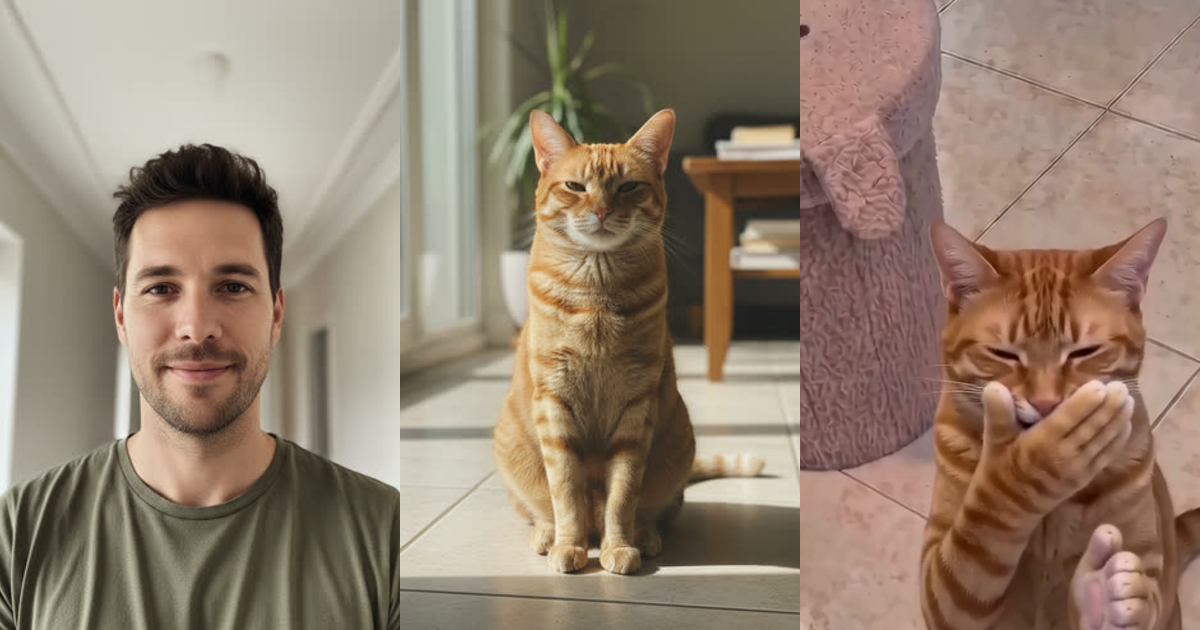
This guide shows how to make cat clapping video with your own cat: upload one photo of a cat, optionally one of a person, press the button and download the finished video about 5 minutes later. You do not write a prompt and you do not edit anything. This guide walks through each step on our cat clapping video generator, shows a real result we made while testing it, and explains what the video costs.
A cat clapping video is your own version of the viral black cat clapping meme: a cat that stands upright, grins and slowly claps with human-like hands. The AI copies that motion onto the cat in your photo.
What you need before you start
You need very little. Pick the version you want to make:
| Version | Photos you upload | What you get | Length | Credits |
|---|---|---|---|---|
| Person and cat video | One person, one cat | The full story: treat, shush, clap and handshake | 10 seconds | 150 (480p), 350 (HD 720p) |
| Cat-only video | One cat | Your cat clapping on a green background, plus a transparent GIF | 7 seconds | 80 |
Both cat clapping versions are vertical 9:16, which suits TikTok, Instagram Reels and YouTube Shorts. The videos have no sound, so you add your own clapping sound or a trending audio when you post.
If you only want the cat, use the AI cat clapping generator. If you want a person in the scene too, use the home page generator. The rest of this guide covers both.
How to make cat clapping video in four steps
1. Choose a good photo of your cat
The photo decides how well your cat clapping video turns out, so spend a minute on it. The best photo shows one cat, facing the camera, with the whole body visible and good light. The background does not matter, because the AI replaces it. Avoid photos with several animals in them, because the AI may not know which one to animate.
Dark cats and fluffy cats work well for cat clapping too, as long as the outline of the cat is clear.
2. Add a person photo (for the full story)
For the 10-second version, upload one clear photo of a person facing the camera. Use someone who has agreed to appear in the video. The AI puts that person in the template: they hold out a treat, shush the cat and reach out for a handshake at the end.
3. Press make and leave the page
There is nothing to write. The template already knows the shots, the timing and the clapping motion, so this is not a text prompt tool. You press the button and the AI builds the video from the template and your photos. It takes about 5 minutes. You can close the page, and the video is waiting in My videos when it is done. If a generation fails, your credits are refunded automatically.
4. Download and post
That is the whole method of how to make cat clapping video: photos in, video out. Download the video and post it. For the cat-only version you also get a transparent GIF that works in chats, edits and stickers. If you want a clapping cat without making anything, the ready-made clapping cat GIFs are free.
A real cat clapping video we made
We tested the cat clapping process with a man and an orange tabby, both AI-generated photos. The template is the same every time: a person on the floor-level shot beside a round table, then the cat on a tiled floor. The result keeps the template's shots and timing, and swaps in the new person and the new cat.
Here are four frames of the finished 10-second cat clapping video, in order: the treat, the shush, the cat covering its mouth and the handshake.
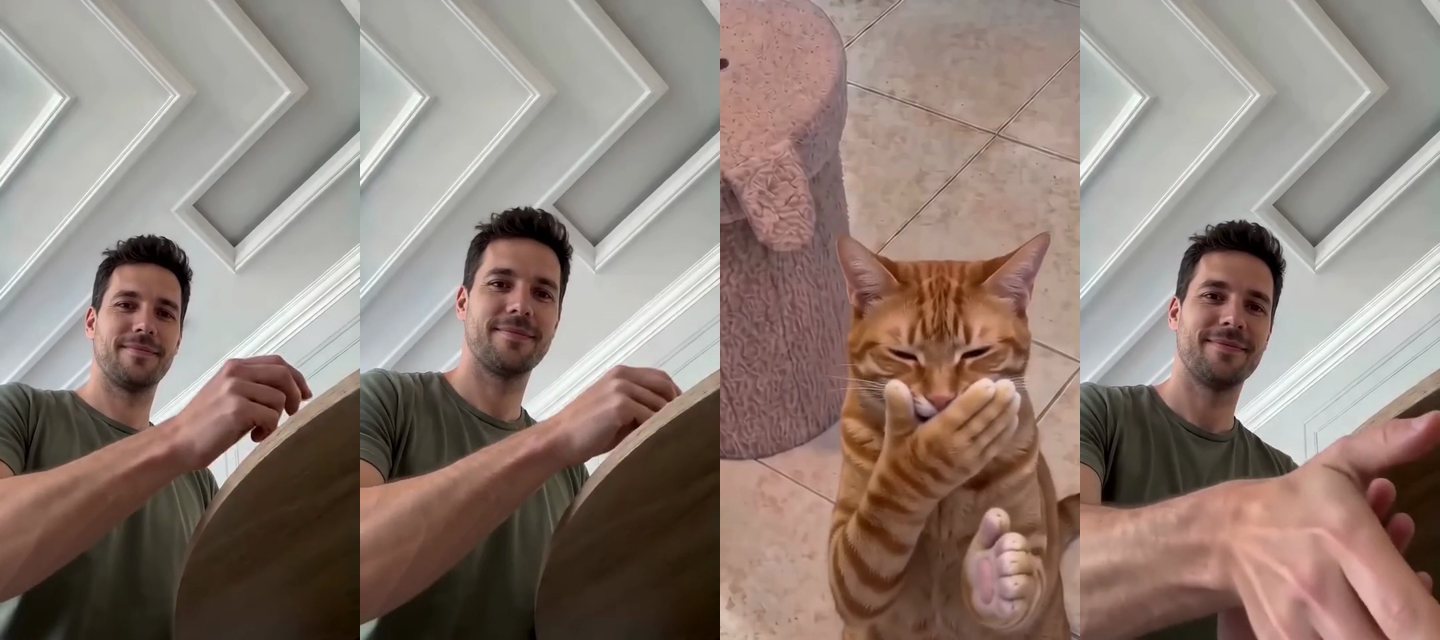
In this cat clapping example the cat has furry human-shaped hands, the same colour as the rest of its body, which is what makes the meme recognisable. You can read where that look comes from in our guide to the clapping cat meme.
How much does a cat clapping video cost?
You pay in credits, once, with no subscription. Credits last a year, and a failed video is refunded. The current packs on the pricing page:
| Pack | Price | Credits | Person-and-cat videos at 480p |
|---|---|---|---|
| Mini | $6.99 | 300 | 2 |
| Starter | $9.90 | 750 | 5 |
| Creator | $24.90 | 2,100 | 14 |
A cat-only video costs 80 credits, so the same packs make 3, 9 and 26 of them. Most people only need one or two videos, so the Mini pack is enough to try it.
Tips for a better cat clapping video
- Use a sharp photo for cat clapping. A blurry cat gives a blurry face in the video.
- Show the whole cat. If the paws are cut off, the AI has to guess the hands.
- Use one cat per photo. For a second cat, make a second video.
- Keep captions short when you post. Cat clapping works as sarcastic applause, so a line such as "my teacher when I answer correctly" is enough.
- Add the sound last. Because the video has no audio, any trending clap sound fits.
Common questions about how to make cat clapping video
Can I use my own cat photo? Yes. The tool is built for it. One clear photo of your own cat is all it needs.
Do I need to write a prompt? No. You never type a description. The template does that work.
How long does a cat clapping video take? About 5 minutes.
Do I need to know how to make cat clapping video in an editor? No. There is no timeline or editing.
Can I change the story? Not yet. Every person-and-cat video follows the same 10-second story from the meme. More templates are planned.
Ready to try cat clapping? Open the cat clapping video generator, add your photos and make yours.